I pulled a search term report last week from a seller doing $3M/year.
Sixteen thousand dollars. Gone. Just in Q1.
All from search terms that never—not once—converted to a sale.
"Blue dog collar" (they sell cat products). "Discount kitchen gadgets" (they're in beauty). "How to make protein powder" (they sell finished supplements, not ingredients).
Every click cost them money. Zero came back as revenue.
That's not bad luck. That's a dirty account.
And it's exactly why systematic negative keyword management matters—whether you build the discipline to do it yourself or hand it off to someone who lives in search term reports every single week.
Here's what most 7-figure sellers don't realize: Your Amazon PPC account doesn't stay clean. It decays. New junk search terms flood in daily. Broad match keeps finding "opportunities" that are really just expensive distractions. And if you're not actively pruning negatives every single week, you're hemorrhaging profit.
Let me walk you through what real negative keyword management looks like, why it matters more than your bid strategy, and when it makes sense to hand it off versus doing it in-house.

What Negative Keyword Management Actually Is (And Why Most Sellers Do It Wrong)
Negative keyword management isn't a one-time cleanup. It's an ongoing, systematic process of identifying irrelevant search terms, blocking them at the right level, and preventing future waste.
Here's what it entails when done correctly:
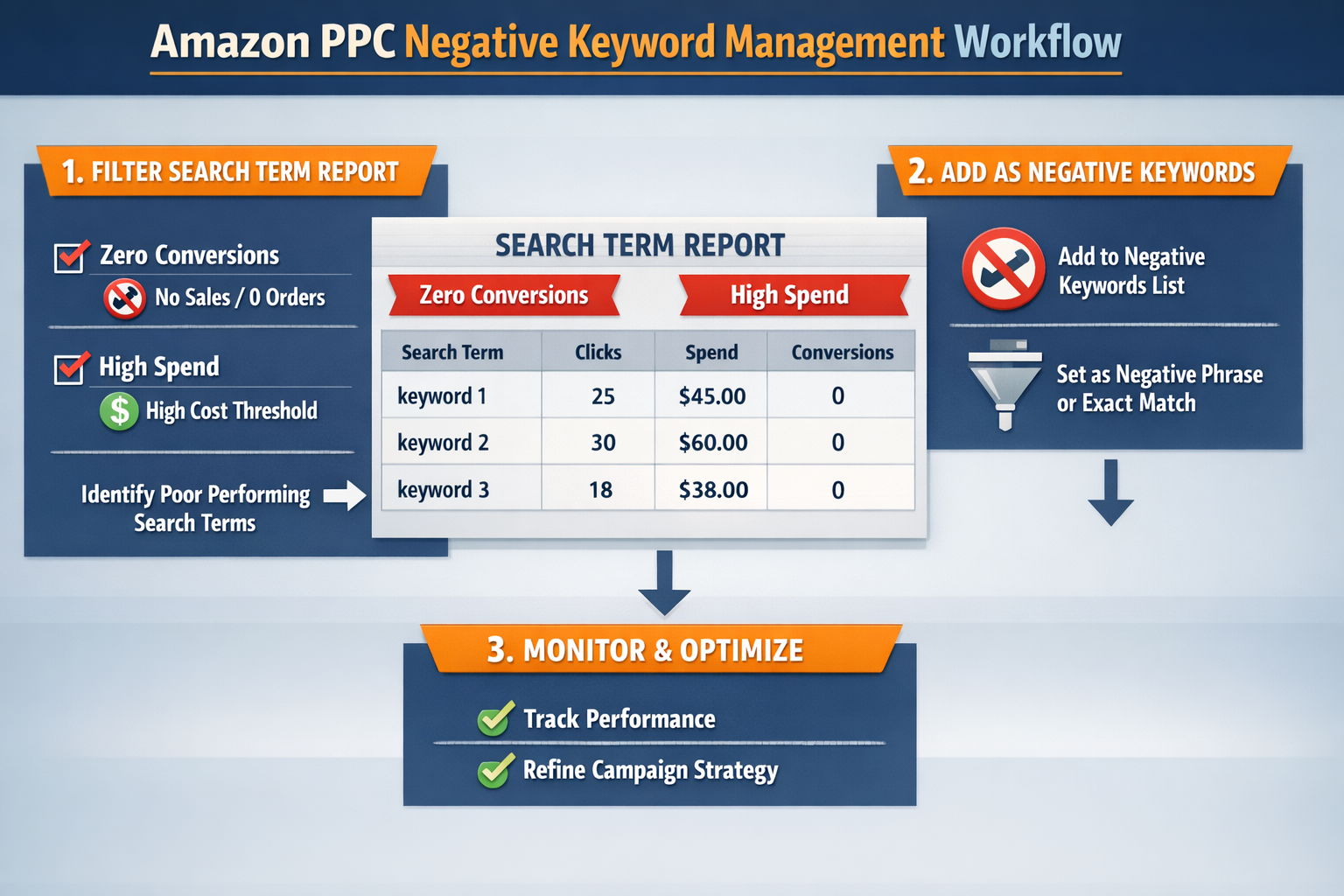
1. Weekly (or bi-weekly) search term report pulls
You download every search term from every campaign—Sponsored Products, Sponsored Brands, auto, broad, phrase. No shortcuts. Amazon's Advertising Console lets you export this data under the Reports tab.[1]
2. Filter for waste
Sort by spend with zero orders. Flag high-impression, zero-click terms (relevance killers). Identify terms with clicks but terrible conversion rates relative to your targets.
3. Add negatives at the correct match type and level
Exact negatives for specific junk terms. Phrase negatives for broader patterns. Campaign-level for universal blocks; ad-group-level for surgical precision. According to Amazon's official PPC documentation, exact negatives block only that specific term, while phrase negatives block that term and any phrase containing it.[1]
4. Cross-reference with your product catalog
Don't block terms that might work for a different ASIN. Negative keyword management requires you to know your full catalog, margin structure, and keyword overlap.
5. Document and iterate
Track what you blocked, why, and the spend savings. Feed it back into your targeting strategy so you stop bidding on junk in the first place.
Most sellers? They log in once a month, add five negative keywords by gut feel, and wonder why their TACoS keeps climbing.
A proper system does this every single week with bulk files, filters, and a repeatable SOP that doesn't rely on memory or guesswork.
Want to see exactly how we do it? Grab our Cutting Bleeders SOP—it's the same process we use to find and block waste in 7-figure accounts.
The Benefits: Higher Ad Relevance, Lower Wasted Spend, Better Profit Per Click
Let's talk numbers.
In one recent client audit—a supplement brand spending approximately $528k annually on Amazon ads—we identified significant waste after filtering their search term reports. Based on our analysis, roughly $184k had been allocated to search terms with conversion rates under 2%, while industry benchmarks for the supplement category typically range from 10-15% according to aggregated seller data.[2]
After implementing systematic negative keyword management, we added 1,847 negative keywords across the first 30 days—exact, phrase, and campaign-level blocks targeting the lowest-performing search terms.
Result over the following 60 days:
Wasted spend decreased by approximately one-third
ACoS improved from 41% to 29%
Profit per click increased by more than half as we reallocated saved budget to proven converters
Individual results vary based on account history, product category, competitive landscape, and execution consistency. These figures represent one client account and should not be assumed as typical outcomes.
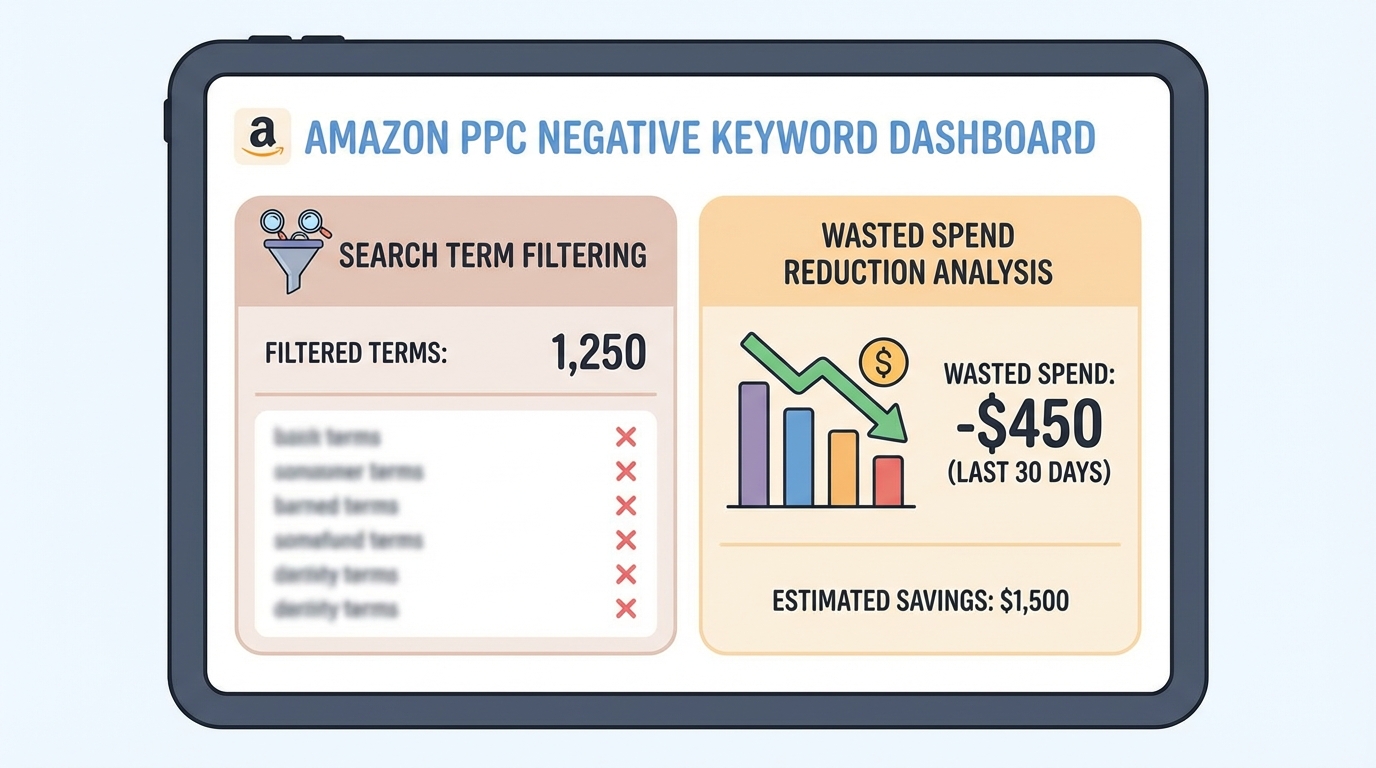
Here's why negative keyword management drives those results:
1. Higher ad relevance = better placement and lower cost-per-click
When your ads show for irrelevant terms, your CTR tanks. Amazon's algorithm notices. Your ad gets suppressed, your cost-per-click creeps up, and you lose placements to competitors with cleaner accounts.
Block the junk, and your CTR improves. Amazon rewards you with better placement and lower CPCs on the terms that do convert.
2. Lower wasted spend = more budget for winners
Every dollar you stop spending on "cheap yoga mat" (when you sell premium mats) is a dollar you can reinvest in "best non-slip yoga mat" or "yoga mat for hot yoga."
Negative management isn't about cutting spend. It's about reallocating waste into profit.
3. Better conversion rate = lower TACoS
When you only show ads to shoppers searching for what you actually sell, your conversion rate goes up. Higher CVR means lower TACoS. Lower TACoS means more net profit per sale.
It's the fastest lever most sellers never pull.
If you want to see where your wasted spend is hiding, use our Wasted Ad Spend Calculator—it'll show you exactly how much you're losing to irrelevant clicks.
Real Examples: What Gets Blocked (And What Doesn't)
Here are actual categories of negative keywords we've added for clients, with context:
Example 1: Pet Supplies (Dog Collar Brand)
Blocked: "cat," "kitten," "puppy training pads," "dog food," "free shipping"
Why: They don't sell cat products, pads, or food. "Free shipping" attracts bargain hunters with poor conversion rates
Estimated monthly savings based on pre-block spend trends: ~$3,000
Example 2: Beauty & Personal Care (Organic Skincare)
Blocked: "cheap," "drugstore," "dupe," "fragrance free" (their hero product contains fragrance), "men's"
Why: These terms attracted price-sensitive shoppers or people looking for product attributes they don't offer
Estimated monthly savings: ~$2,100
Example 3: Home & Kitchen (Stainless Steel Water Bottles)
Blocked: "plastic," "glass," "collapsible," "kids," "insulated" (they sell non-insulated)
Why: Material and feature mismatches. Every click was from someone looking for something they literally don't make
Estimated monthly savings: ~$3,900
Notice the pattern? Negative keywords aren't random. They're based on your catalog, your margin, and your customer.
A good system knows your product inside-out and blocks strategically. A bad one just copies a generic list and calls it optimized.
Service vs DIY: When to Keep It In-House and When to Outsource
Here's the truth: You can do negative keyword management yourself. It's not rocket science. It's discipline, systems, and time.
| Factor | DIY Approach | Service/Agency |
| Best for | Accounts under $50k/month ad spend | Accounts $50k+/month ad spend |
| Time Required | 3-5 hours/week dedicated bandwidth | Included in service |
| Skill Level | Requires learning bulk files, pivot tables, match-type logic | Expertise provided |
| Documentation | Must build and maintain your own SOP | Process already documented |
| Consistency | Relies on internal discipline | Guaranteed weekly execution |
| Cost | Internal labor cost only | Service fee (typically $3-5k/month for this account size) |
| Risk | Can fall through cracks when team is stretched | Built-in accountability |
| Upside | Full control and learning | Pattern recognition across dozens of accounts |
Here's when DIY makes sense:
You're doing under $50k/month in ad spend
You have someone in-house (VA, marketing manager, or yourself) with 3–5 hours/week to dedicate to it
You're willing to learn bulk file editing, pivot tables, and match-type logic
You've documented an SOP so it doesn't live in someone's head
If that's you, grab our SOPs and build the system yourself. Totally doable.
Here's when a negative keyword management service makes more sense:
You're spending $50k+/month and can't afford to miss a week
Your team is stretched thin and PPC keeps falling through the cracks
You've tried doing it yourself and wasted spend keeps creeping back up
You want someone who's done this across dozens of accounts and knows the patterns before they see your data
A service doesn't just add negatives. It maintains a clean account. It catches waste before it turns into a four-figure mistake. It cross-references your catalog, your margins, and your goals so you don't accidentally block a term that could've been a winner with better creative or a price tweak.
And here's the math: If systematic management saves you $15k/month in wasted spend and costs $3k, that's a 5x monthly return. The challenge isn't ROI—it's execution consistency.
At PPC Maestro, negative keyword management is baked into our Profit Feedback Loop—we prune waste weekly, reallocate to converters, and tie every decision back to your profit per click and TACoS targets.

How Systematic Management Maintains a Clean Account (Week After Week)
Here's what a disciplined process looks like for a typical 7-figure account:
Week 1: Baseline Audit
Pull 60–90 days of search term data. Filter for waste. Prioritize high-spend, zero-conversion terms. Add negatives in bulk (often 500–2,000 terms in the first pass).
Weeks 2–4: Pruning Cadence
Weekly search term pulls. Add 50–200 new negatives per week as fresh junk appears. Monitor for over-blocking (did we accidentally kill a term that should convert with a better landing page or price?).
Month 2 Onward: Maintenance Mode
Bi-weekly pulls. Negatives slow down because the account is cleaner. Focus shifts to search term isolation—moving proven terms into exact-match campaigns so they're protected from future junk.
Ongoing: Cross-Campaign Hygiene
Every new campaign gets a negative keyword foundation before it launches. Auto campaigns get phrase negatives for known junk. Broad gets exact negatives for close variants we don't want.
The account stays clean because you don't let it get dirty in the first place.
DIY sellers? They do the big cleanup once, then six months later they're back in the same hole because they didn't maintain it.
Systematic management—whether in-house or via service—maintains it. Every week. No exceptions.
If you want to see the exact workflow, check out our Reducing High ACoS SOP—negative management is step two, right after isolating your bleeders.
When NOT to Invest in Negative Keyword Management
Let's be clear about the limitations:
It might not be worth it if:
Your ad spend is under $20k/month (the absolute savings won't justify dedicated focus)
You're in a hyper-niche category with minimal search volume (few new terms to manage)
Your product catalog is a single ASIN with laser-focused keywords already
You're pre-launch and don't have enough data yet (need 30+ days of search term history)
Risks of poor execution:
Over-blocking: Adding phrase or broad negatives too aggressively can kill legitimate traffic. Always start with exact negatives and expand cautiously.
Catalog blindness: Blocking a term for Product A that would work for Product B. Requires full catalog knowledge.
False confidence: Adding negatives without monitoring results can create the illusion of optimization when the real problem is creative, pricing, or product-market fit.
The best negative keyword strategy is useless if your listing can't convert, your price isn't competitive, or your product has fundamental issues. Fix those first.
Want to see where your account stands?
Start with our 5 Ways to Cut Wasted PPC Spend guide to identify your biggest leaks. Then book a free audit—we'll show you exactly where waste is hiding and whether a DIY system or managed service makes more sense for your situation.

Frequently Asked Questions
How often should I add negative keywords to my Amazon PPC campaigns?
At minimum, every two weeks. For accounts spending $50k+/month, weekly is non-negotiable. Search terms accumulate fast—especially in auto and broad match campaigns—and waiting a month means you've already burned through thousands in wasted spend. A proper cadence includes pulling search term reports from your Amazon Advertising Console, filtering for non-converters or irrelevant terms, and adding negatives at the campaign or ad-group level depending on scope. If you're not sure where to start, grab our Cutting Bleeders SOP—it walks through the exact filters and thresholds we use to prioritize what gets blocked first.
Here's the key difference: Campaign-level negatives are your nuclear option—they block a term everywhere in that campaign, across all ad groups. Use these for universally irrelevant terms (like blocking "cat" when you only sell dog products). Ad-group-level negatives are surgical—they block a term in one specific ad group but allow it in others within the same campaign. Use these when a term is irrelevant to one product but might work for another. Example: "organic" might be irrelevant for your synthetic product line but perfect for your natural line. Misapplying negatives at the wrong level is one of the fastest ways to either over-block (killing good terms) or under-block (letting waste continue). Always cross-reference your catalog before adding.
Can adding too many negative keywords hurt my campaigns?
Yes—if you're not strategic. Over-blocking happens when you add negatives without understanding match types, product variants, or customer search behavior. For example, blocking "yoga mat" as a phrase negative when you sell yoga mats would kill all your traffic. Or blocking "cheap" when your best sellers are budget-focused and that term actually converts. The fix: always review performance data before blocking. Use thresholds like "block after 20+ clicks and zero orders" or "block if CVR is under 2% and spend is over $50." A systematic approach avoids over-blocking because it's based on your catalog, margin, and goals. Reactive blocking often leads to traffic drops and confusion about what went wrong.
Should I use exact, phrase, or negative broad match for my negative keywords?
It depends on how surgical you need to be. Exact negative blocks only that specific term—"dog collar" blocks "dog collar" but not "blue dog collar." Use it when you want to block one term but keep close variants. Phrase negative blocks that term and any phrase containing it—"dog collar" blocks "blue dog collar" and "dog collar medium." Use it for broader waste patterns. Negative broad blocks the term and close variants, but allows reordering—"dog collar" blocks "collar for dogs" too. Use it rarely; it's aggressive and easy to over-block with. Our default: start with phrase negatives for efficiency, then refine with exact negatives if you need more control. Always test in one campaign before rolling out account-wide.
What tools or reports do I need to manage negative keywords effectively?
Start with Amazon's native Search Term Report, which you can download weekly from the Advertising Console under the Reports tab. Export to Excel or Google Sheets, then filter by: spend with zero orders, high impressions with low CTR, and terms with clicks but conversion rates under your category average. For bulk editing, use Amazon's Bulk Operations file (download the campaign template, add your negatives, and re-upload) or a third-party tool like Perpetua, Pacvue, or Helium 10 Adtomic. We prefer bulk files for control and auditability—you can process thousands of terms in under an hour once you have the workflow down. If you're doing this in-house, document your filters in an SOP so it's repeatable. If you want our exact process, check out the Cutting Bleeders SOP—it includes the formulas and thresholds we use to prioritize what gets blocked first.
E-E-A-T Section
Bernard Nader is the founder of PPC Maestro, a profit-first Amazon PPC agency serving 7-figure private-label sellers in the U.S., UK, and internationally. Having managed over $15M in cumulative client ad spend across 100+ Amazon seller accounts, Bernard has developed systematic frameworks—including the Profit Feedback Loop and proprietary SOPs for cutting wasted spend—that have helped clients identify an average of 20-35% wasted spend in initial audits. He teaches these strategies publicly via YouTube, LinkedIn, and speaking engagements at Amazon seller summits, and his case studies and audit methodologies are used by sellers and agencies worldwide to eliminate waste and optimize for net profit, not vanity metrics.
Cited Works
1. Amazon Advertising — "Amazon Ads Search Term Report and Negative Keyword Documentation." https://advertising.amazon.com/
2. Helium 10 — "Amazon PPC Benchmark Data and Conversion Rate Insights." https://www.helium10.com/blog/amazon-ppc-benchmarks/
3. Jungle Scout — "How to Use Negative Keywords in Amazon PPC Campaigns." https://www.junglescout.com/blog/amazon-ppc-negative-keywords/